operations
AI for Auto Repair Shops
Eight practical ways an auto repair shop can use AI without handing customer promises, diagnosis, or shop-floor judgment to a chatbot.
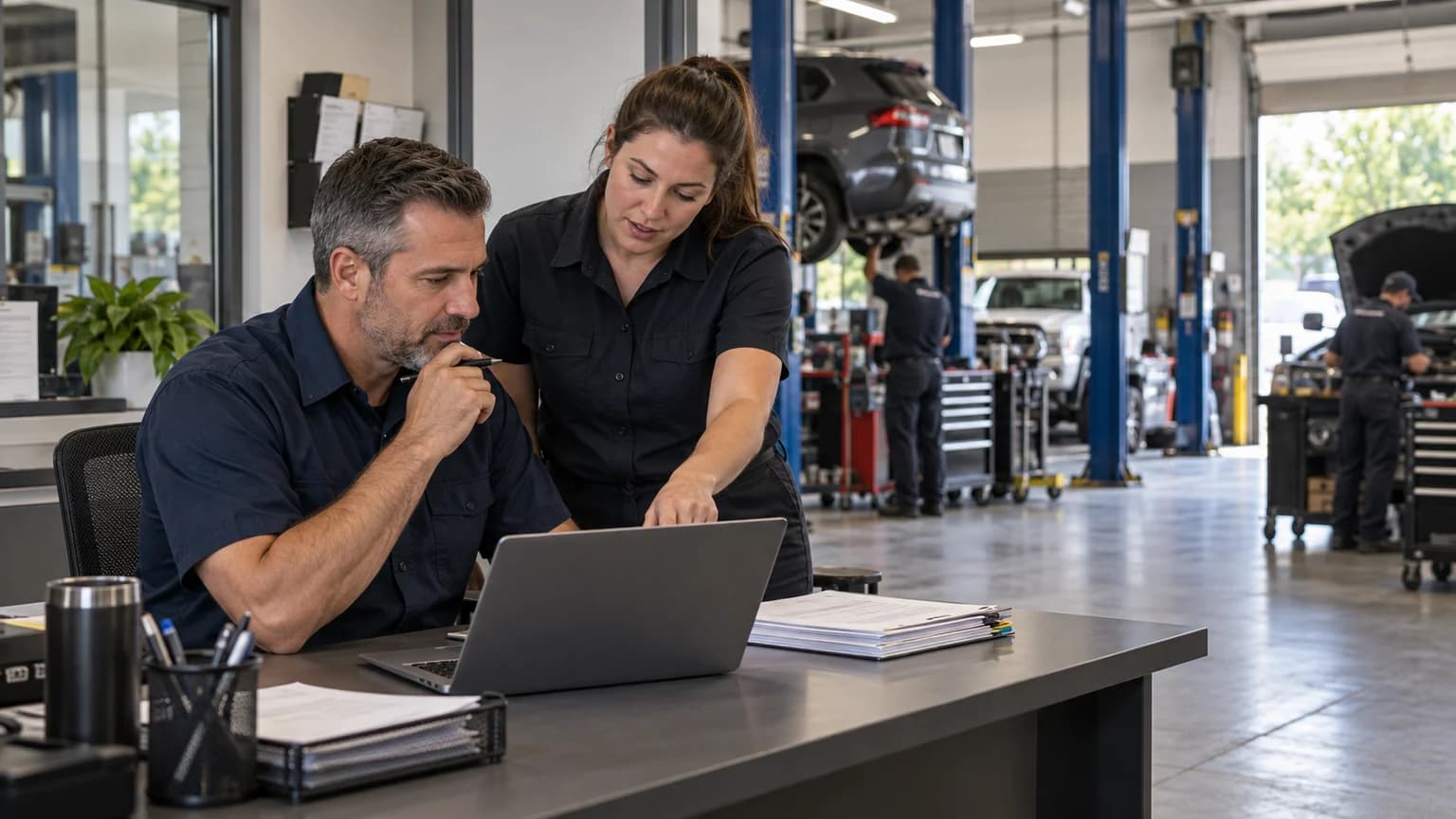
AI for auto repair shops is useful when it removes small delays from work your team already understands. It can draft a customer reply, find a policy inside an approved procedure, turn rough notes into a checklist, or capture an after-hours call.
It becomes dangerous when the shop lets it guess.
I own a repair shop. I look at AI the same way I look at a new scan tool or piece of shop equipment. The demo is not the decision. The decision is whether it reliably handles a specific job in your shop, saves staff time without creating cleanup work, and gives customers faster, clearer answers.
That means starting with narrow tasks, protecting customer information, and keeping people in control of diagnosis, pricing, scheduling promises, and anything that affects safety.
Start With The Work, Not The AI Brand
Do not begin with, "How do we use ChatGPT?"
Begin with, "Where does our team keep repeating the same low-risk work?"
Walk through a normal day and mark the friction:
- A Service Advisor rewrites the same status update five times.
- A new employee cannot find the right closing procedure.
- A missed call becomes a voicemail that gets returned two hours later.
- A meeting produces good decisions that never become assigned tasks.
- A Tech spends ten minutes turning scattered symptoms into a clean diagnostic summary.
- The owner needs to compare two vendor proposals written in completely different formats.
Those are good starting points because the shop already knows what a correct result looks like. AI is helping with the first draft, the search, or the handoff. It is not being asked to invent the operating standard.
Here are eight practical ways I would put AI to work in a repair shop today.
1. Draft Customer Responses Faster
One of my favorite uses is simple: I take a screenshot of a text, email, or Yelp request from a customer or prospective customer, paste it into my AI tool, and ask it to draft a response. I edit the draft until it sounds like me, check the details, and send it myself.
That makes responding much faster. In a busy shop handling hundreds of calls, emails, texts, and online inquiries a day, starting with a useful draft saves time and helps customers get a clear answer sooner.
Use a shop-approved AI account, and crop or redact customer information the tool does not need. Then give it a specific request:
Draft a response to the customer message in this screenshot. Use my writing samples for tone and the relevant approved response template. Keep it clear and conversational. Use only the facts I provided. Do not invent a price, availability, or completion time. Flag anything I need to confirm before sending.
You can also give the tool selected examples of your previous emails, documents, and other writing, with private information removed. Ask it to identify how you write and create a short voice guide: how you greet people, how much detail you give, and which phrases you use or avoid. Review that guide and use it as a reference for future drafts.
Build approved templates for common situations, too: a new customer inquiry, a parts delay, an approval follow-up, or a completed repair. The AI can adapt a good starting point to the message in front of you instead of reinventing the response every time.
The final edit stays with you or your Service Advisor. Check the facts, price, tone, and any promises, make it sound like your shop, and then send it.

2. Search Approved Shop Procedures
Most shops already have useful knowledge. It is just scattered across documents, old emails, checklists, and one person's memory.
A managed AI workspace can help the team search an approved set of standard operating procedures. A new Service Advisor could ask, "What information do we collect on a first-time diagnostic appointment?" A closer could ask for the end-of-day checklist. A manager could compare a draft process against the current written policy.
This only works if the source material is controlled.
Use a simple rule:
- Choose the documents that are authoritative.
- Remove old and conflicting versions.
- Give access only to the roles that need it.
- Require the assistant to cite the procedure it used.
- Give one person ownership of updates.
- Tell the team what questions still require a manager.
ChatGPT Business supports private workspace tools and connected company sources. Shops on Google Workspace can use Gemini in Gmail and the Gemini app, with additional access inside tools such as Docs and Meet depending on the Workspace edition. Shops with an eligible Microsoft 365 subscription already have Copilot Chat and can encounter it inside Microsoft 365 apps such as Outlook and Teams, although the deeper experience in Word, Excel, PowerPoint, and other apps depends on the license and tenant configuration. Grok Business also supports team administration and company-source connections.
Before buying another subscription, check what the shop already has. If you already pay for Google Workspace or an eligible Microsoft 365 business plan, you may already be paying for a practical place to start testing AI on low-risk work.
The product matters, but the document discipline matters more. AI cannot rescue a shop from five different versions of the same policy.
Claude is another option for drafting replies, reviewing documents, and working with approved shop procedures. Its Projects can keep reference documents and instructions together, including your voice guide and response templates.
3. Turn Meeting Notes Into Tasks
A production meeting should end with owners and next steps, not a page of notes nobody reads.
Give an AI assistant sanitized meeting notes and ask it to return:
- Decisions made.
- Tasks.
- One owner for each task.
- Due dates that were actually stated.
- Open questions.
- Items that need customer follow-up.
Tell it to write "not assigned" when the notes do not name an owner. That is better than letting the model make one up.
The same pattern works for vendor calls, training sessions, safety meetings, and weekly scorecard reviews. A manager should review the output before it becomes the official task list.
4. Build Training Scenarios
AI is good at producing practice situations because the output does not touch a real customer.
You can ask it to act like:
- A first-time customer who wants an exact price before inspection.
- A customer upset about a missed completion promise.
- A caller describing an intermittent no-start.
- A customer comparing your estimate with a cheaper quote.
- A warranty caller whose request needs a manager.
Give the tool your approved response standards, then have a Service Advisor practice. Ask the AI to score whether the employee asked the right questions, avoided unsupported promises, explained the next step, and knew when to get a manager.
Do not treat the score as employee discipline. Use it as a repeatable coaching exercise.
5. Analyze Shop Data Safely
AI can help clean up a spreadsheet, group reasons for declined work, summarize survey comments, or identify repeated wording in comeback notes.
The safest starting point is aggregated or de-identified information. The model usually does not need the customer's name, phone number, email address, VIN, payment information, or full Repair Order to answer an operating question.
For example, a shop could provide a table with:
- Job category.
- Estimated hours.
- Completed hours.
- Days carried over.
- Delay reason.
- Promise met or missed.
Then ask, "Group the delay reasons and show which categories are most often associated with carryover. Do not infer causes that are not in the data."
The result is a starting point for a manager's review. It is not proof of why the pattern happened.
6. Cover After-Hours Calls
An AI receptionist can answer when the front counter is tied up or the shop is closed. Repair-specific options include Rosie and AutoLeap AIR. Rosie advertises call answering, FAQ responses, message capture, appointment booking, call transfers, and summaries. AutoLeap says AIR can answer after-hours calls, capture customer and vehicle details, transfer calls, and place appointment requests onto an AutoLeap calendar.
Keep the receptionist within the rules your shop has tested.
Start with a narrow after-hours job:
- Confirm the shop's location and business hours.
- Capture the caller's name, number, vehicle, and reason for calling.
- Explain when the team will follow up.
- Send an approved scheduling link if that fits the shop's process.
- Escalate urgent, upset, warranty, and comeback calls.
Do not begin by letting it quote repairs, estimate diagnostic time, promise same-day completion, or answer detailed questions about a vehicle already in the shop.
Before sending real traffic, run the system through the AI Receptionist Test Kit. It is built around the calls that expose weak training and bad handoff rules.
7. Help Techs Troubleshoot
AI can assist a Tech. It cannot confirm a diagnosis.
TOPDON says its TopFix AI feature can analyze fault conditions, identify likely causes, and recommend service procedures from a repair knowledge base. TOPDON separately announced that Identifix Direct-Hit Professional is available across its ONE diagnostic tool series.
That can help a Tech organize the first part of a diagnostic path. It does not change the standard of work.
ALLDATA Diagnostic Intelligence is another repair-specific option. It combines OEM repair information with AI-assisted guidance, probable causes, and known fixes. It requires an ALLDATA Repair or Collision subscription.
The Tech still needs to:
- Confirm the customer's concern.
- Read the actual scan data.
- Use current service information.
- Test the circuit, component, or system.
- Verify the root cause.
- Confirm the repair.
An AI-generated suggestion is a lead. It is not a finding.
The same rule applies when a Tech uses a general model to summarize a fault code or organize symptoms. Never let confident wording stand in for testing. Parts identification is another useful starting point, though identifying a part is not the same as confirming a diagnosis.
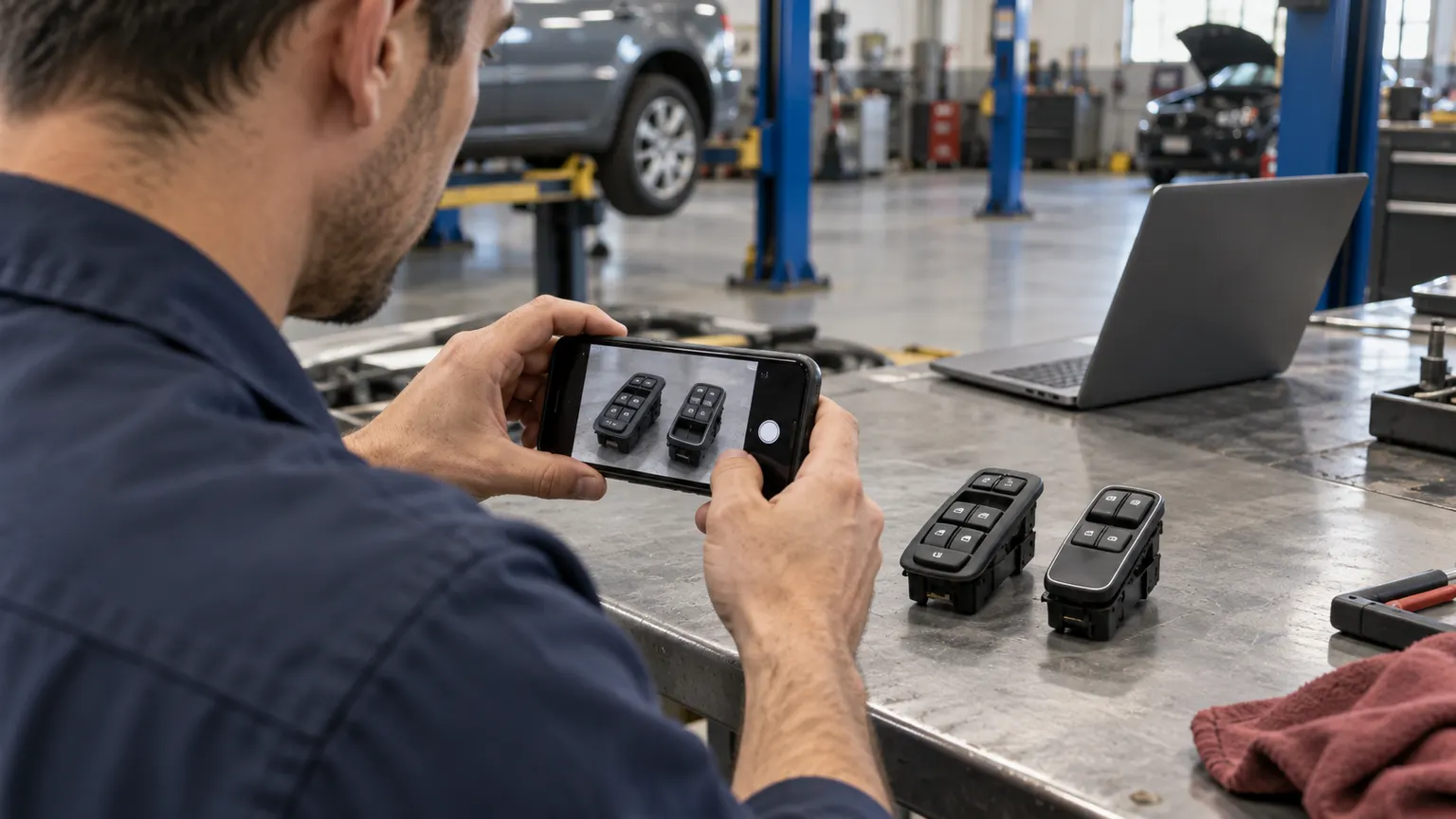
We have also used AI to help identify a part with no visible part number. Start with clear photos and the vehicle's year, make, model, and relevant options. If a VIN is needed to narrow the application, use an approved tool and leave out unrelated customer information.
In one case, we had tried two new window switches and neither worked. We gave the AI a photo and explained what we had already tried. It helped uncover an option difference: some vehicles came with auto-down windows and some did not, with different switches for the same year, make, and model. The OEM parts vendor had not been able to explain that distinction to us.
Ask what option, connector, production-date, or equipment differences could explain the mismatch, then verify the suggested part against the vehicle and current parts information before ordering or installing it.
8. Research Purchases And Pricing
We are replacing the industrial fans in our bays. We used AI to research options for our shop's size, climate, and how we use the space, then look for the best price and available promo codes. That is a practical use of AI: less time sorting through product pages and a better-informed purchase.
An AI tool can turn public vendor material into a comparison table, list missing information, and prepare questions for a sales call. A real-time search tool such as Grok can be useful for finding recent product announcements, while ChatGPT, Gemini, or Microsoft Copilot can help organize information inside an approved work account.
The same approach can help with equipment, tools, and vendor pricing. Give the tool your requirements and ask it to compare fit, availability, warranty, shipping, and total cost. Check prices and promo codes at checkout rather than assuming a search result is current.
A useful prompt is:
Help me compare replacement industrial fans for our repair bays. First ask about the space, climate, mounting options, power, noise, and budget. Then compare suitable options, explain the tradeoffs, and link to specifications and current prices. Look for valid promo codes and include shipping in the total. Flag anything you cannot verify.
AI can also help prepare a price negotiation: compare competing quotes, identify differences in terms, and draft a request for a better rate. Agent workflows could extend that to requesting insurance quotes or canceling an unused subscription. Those jobs need clear limits on what the agent may discuss or change, with your approval before it accepts terms, changes coverage, cancels a service, or spends money.
Ask for sources and open them. Separate vendor claims from verified specifications, and confirm the final price and terms yourself.

Where I Think Business AI Is Going
The AI product I am most excited about right now is Grok Bot.
Grok Bot has a persistent computer in the cloud. It can keep working when your laptop is closed or switched off, with scheduled routines that run around the clock, subject to usage limits and service availability. You can check in from your desktop or the iOS app. Your Bots share that cloud computer, including its files and signed-in apps.
I think business AI is moving toward agents that can handle a defined job from start to finish, using approved tools and asking for approval before taking action.
You talk to a named Bot like a teammate with a job. Its conversation continues over time, more like a thread in Teams, Slack, or Google Chat than a new question-and-answer exchange. You assign work, follow up, correct it, and build on the context it has kept. That combination of an ongoing conversation, a defined responsibility, and a computer it can work on is what interests me.
Here are six Bots I would consider for a shop:
- Inbox Bot: Check a connected inbox on a schedule, flag customer requests and vendor emails that need a prompt response, and prepare replies using your voice guide and approved templates. You review and send them.
- Data Bot: Pull approved reports, refresh a KPI dashboard, and flag missing data or unusual changes in sales, billed hours, or declined work. Give it your exact metric definitions and require links back to the source reports.
- IT Bot: Help staff work through laptop, printer, or Wi-Fi problems using screenshots, error messages, and the shop's troubleshooting checklist. Have it document what was tried and prepare a handoff for your IT provider when needed.
- Purchasing Bot for the owner: Track software renewals, spot unused subscriptions, compare vendor quotes, and draft requests for better pricing. The shared Haggle Bot template is a starting point for software spending. Adapt its instructions for other shop purchases, with your approval before any message, cancellation, or order.
- Daily Briefing Bot for the General Manager: Prepare a morning list of overdue follow-ups, unresolved vendor issues, and decisions waiting on a manager. Include the source, responsible person, and next step for each item. The shared Chief of Staff template offers a starting point. Use approved reports and messages; the Bot should not change the live schedule.
- Follow-Up Bot for Service Advisors: Find customer questions or promised callbacks that still need attention, then prepare a prioritized list and draft the replies. The GTM Loop Closer template does similar work across messages and notes. Adapt it to the shop's follow-up rules, check whether the customer has already received a response, and review every draft before sending.
These are examples to adapt, not verified integrations with your shop management system. Review a shared Bot's instructions, permissions, and routines before importing it. Start with approved exports or documents when a direct connection is unavailable.
The benefit is continuity. The inbox can be checked and the dashboard prepared while you are away from your desk. An IT Bot can guide troubleshooting from the cloud, but it cannot inspect your shop's local network or fix a laptop unless you provide the information or an approved connection it needs.
The approval boundary matters more as an AI tool takes more steps. Start with read-only access where possible. Require approval before messages, purchases, schedule changes, account changes, or customer commitments. xAI's own Bot guidance recommends giving each Bot a distinct job, approved tools and sources, and explicit approval rules.
Which AI Tool Fits Which Shop Task?
The answer may already be in the software you pay for.
| Tool or category | Practical shop use | Important boundary |
|---|---|---|
| ChatGPT Business | Drafting, approved knowledge, file analysis, repeatable internal assistants | Use managed workspace controls and verify every customer-facing output |
| Claude | Drafting replies, reviewing documents, and using project reference material | Use a shop-approved plan and current source documents; review the output |
| Gemini in Google Workspace | Drafting and summarizing inside Gmail and other Workspace apps available on the shop's edition | Check the Workspace edition and administrator settings before assuming a feature is available |
| Microsoft 365 Copilot Chat | Web-grounded research, drafting, and summarizing from an eligible Microsoft 365 work account | Eligible licenses include common Microsoft 365 business plans, but full in-app and work-grounded capabilities depend on configuration |
| Grok Business | Current web research, team workspaces, and connected company sources | Use the business product for shop information, not an unmanaged consumer account |
| Grok Bot | Multi-step research, recurring routines, and draft preparation across approved apps and websites | Give each Bot one narrow job and minimum access, then require approval before any external or customer-facing action |
| ALLDATA Diagnostic Intelligence | OEM repair information with AI-assisted diagnostic guidance and known fixes | Requires a Repair or Collision subscription; verify the cause and repair through testing |
| Rosie | Repair-specific call answering, FAQs, lead capture, call summaries, and tightly controlled booking | Test promises, transfers, identity checks, and failure handling before launch |
| AutoLeap AIR | Repair-specific call answering, customer and vehicle detail capture, transfers, and AutoLeap calendar requests | Confirm how AIR fits the shop's current software and test every booking and handoff rule before launch |
| TOPDON TopFix AI and Identifix Direct-Hit | Fault-code interpretation, likely-cause research, service procedures, and confirmed-fix research | Scan data, service information, testing, and technician judgment remain authoritative |
OpenAI says ChatGPT Business data is not used to train its models by default. Google says Gemini interactions inside Workspace apps do not train or improve its generative AI models, and Workspace content stays subject to its existing protections. SpaceXAI says it does not use content from business and enterprise customers to improve its models.
Those are meaningful differences from a personal account. They are not permission to upload anything. Review the current terms, configure access, and give the model only the information it needs.
The Shop Needs A Written AI Policy
You do not need a 40-page policy. You need one page the team can follow.
Start with these rules:
- Use only shop-approved AI accounts and tools.
- Do not enter payment data, passwords, access codes, or unnecessary customer and employee identifiers.
- Do not let AI set price, diagnose a vehicle, approve work, or make a completion promise.
- Check every customer-facing output before sending it.
- Keep the shop's approved documents current.
- Require a human confirmation before any tool sends a message, changes a schedule, or takes another external action.
- Report wrong or unsafe output instead of quietly working around it.
If your team cannot explain who checks the answer, the workflow is not ready.
Roll Out AI In 30 Days
Week 1: Pick One Repetitive Task
Choose one low-risk workflow, such as drafting parts-delay updates. Save five real examples with customer details removed. Define what a good answer must contain and what it must never promise.
Week 2: Test With Known Answers
Run at least 20 examples. Include incomplete notes, contradictory details, upset customers, and requests the model should refuse. Record every correction.
Week 3: Pilot With One Owner
Let one Service Advisor or manager use the workflow. Every output gets reviewed. Measure time saved, correction rate, and the types of mistakes that repeat.
Week 4: Decide Whether To Keep It
Keep the workflow only if it saves time without creating a new checking burden. Update the instructions. Assign ownership. Then choose the next narrow task.
Do not roll out five AI tools because one demo looked good.
AI Cannot Fix A Stale Schedule
AI can speed up replies, research, and routine tasks.
It cannot keep the shop on track if the schedule is out of date.
That problem still needs visible assignments, current statuses, carryover, and a clear answer to who owns the next move. That is why I built BayBoard for my own shop. Our shop management system remains the system of record for Repair Orders, estimates, inspections, parts, invoices, payments, and customer messages. BayBoard gives the floor a shared schedule for technician assignments, workload, blocked work, and carryover.
Use AI where it removes low-risk repetition. Keep people responsible for promises and judgment. Keep one reliable operating picture for the work happening in the bays.
That is the line I would hold in any shop.
FAQs
- How can an auto repair shop use AI today?
- Start with low-risk work such as drafting customer replies, searching approved SOPs, building training scenarios, summarizing notes, and handling tightly scoped after-hours calls. Keep diagnosis, pricing, customer promises, and final decisions with your team.
- Can a repair shop train an AI tool on its SOPs?
- A shop can give a managed business AI workspace approved procedures, policies, and templates as reference material. That is different from training the underlying model. Limit access by role, maintain the source documents, and have a person check the output.
- Should technicians use AI to diagnose vehicles?
- AI can help organize symptoms, explain a fault code, or suggest a diagnostic path. It should not replace scan data, service information, testing, technician judgment, or verification of the completed repair.
- Is it safe to put customer information into ChatGPT, Gemini, or Grok?
- Do not assume every account has the same protections. Use a managed business product, review its current data terms and settings, restrict access, and keep unnecessary customer identifiers, payment data, credentials, and sensitive employee information out of prompts.
- Can an AI receptionist book repair appointments?
- Some services can answer calls, capture caller details, send scheduling links, book calendar appointments, and transfer calls. Test the system against your actual scheduling rules before letting it make commitments to customers.
Want a schedule that handles the real day?
BayBoard shows technician capacity, blocked work, and carryover in one view.
Request Access
Daniel Mallatt
Founder, BayBoard / Owner, Franklynn Automotive
Daniel Mallatt runs Franklynn Automotive, a six-bay repair shop in Littleton, Colorado, and built BayBoard from the scheduling problems he sees on the floor.
Keep reading
Shop Scheduling Compared
A neutral public-doc comparison of how Tekmetric, AutoLeap, Shopmonkey, Shop-Ware, and Mitchell handle shop scheduling.
Stop Overbooking Techs
A practical way to stop overbooking mechanics by planning technician hours, carryover, job mix, and bay constraints without starving the shop floor.
Schedule Your Shop Better
A practical scheduling system for auto repair shops that accounts for technician capacity, carryover, parts delays, and the 4 PM surprise.